

🕊 ZeroShell Manager v1.0 GUI + Source code + Release exe ❤️

Konu Özeti

ZeroShell Manager v1.0, web shell'leri yönetmek için Tkinter ile geliştirilmiş kullanıcı dostu bir GUI sunar. Açık ve koyu tema seçenekleriyle birlikte, tekli veya toplu URL ekleme, silme, canlılık kontrolü, dosya yükleme, yeniden adlandırma ve şifre değiştirme gibi özellikler içerir. Ayrıca shell'leri kalıcı olarak silme imkânı da sağlar.

Durum
Üzgünüz bu konu cevaplar için kapatılmıştır...
[🚀 ZeroShell Manager v1.0]
A user-friendly GUI for managing web shells, built with Tkinter. Available in both light and dark modes, with a focus on simplicity and efficiency. Tested thoroughly to minimize bugs.
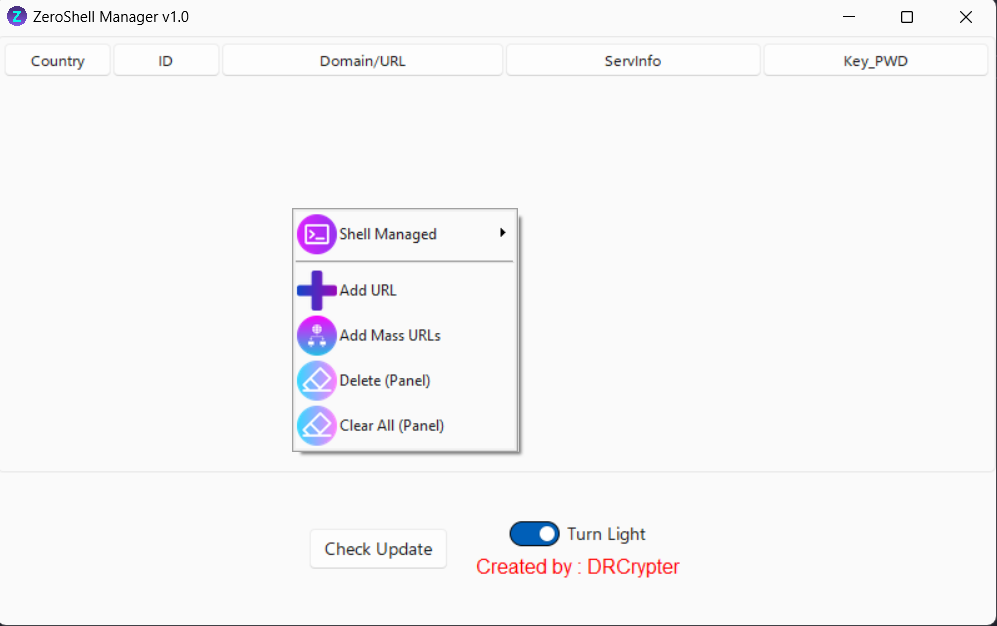
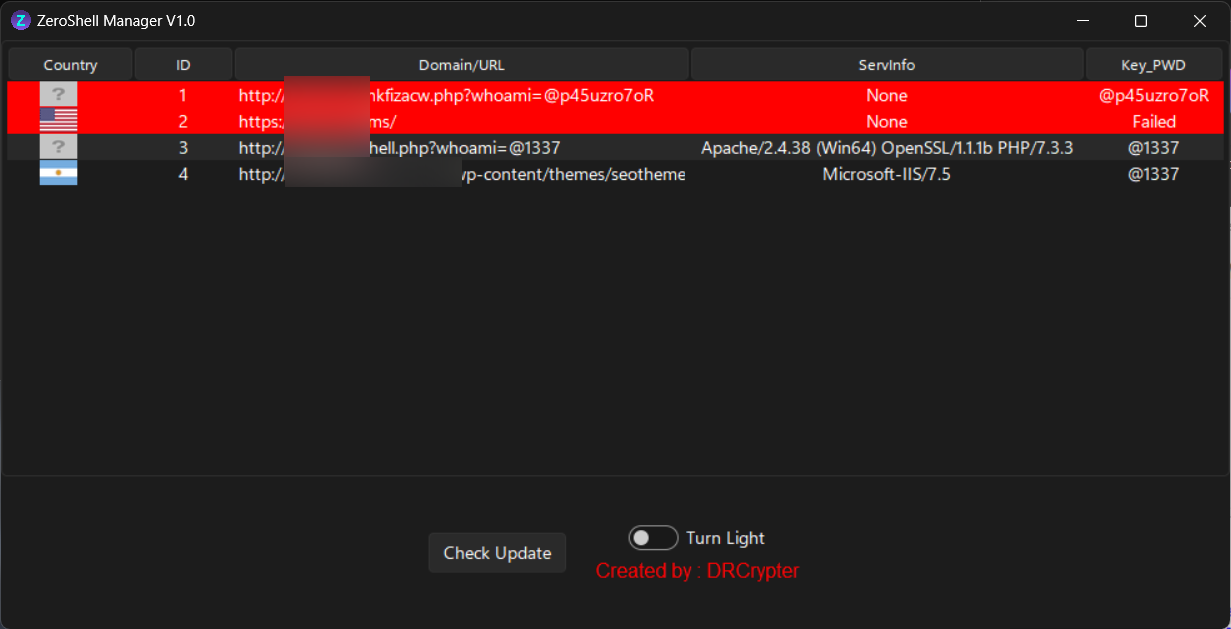
🌐 Screenshots:

Full Screen:

Full Screen


Small Screen:

Small Screen


Change Name Shell & PWD:

Change Name & PWD


Dark Mode:

Dark Mode


Light Mode:

Light Mode


🌟 Features:

ZeroShell Manager v1.0 comes packed with the following functionalities:

  1. 🔗 Add URL to Panel
    Add a single URL for easy access and management.
  2. 📋 Add Mass URLs (Multi-input)
    Batch-add multiple URLs at once for quicker management.
  3. ❌ Delete Web Shell from Panel
    Remove a selected shell from the panel (shell remains on the server).
  4. 🗑️ Clear All
    Clear all URLs from the panel, leaving the shells on the server intact.
  5. 🌐 Browse Shell
    Open a shell in your default browser.
  6. 🟢 Check Shell
    Verify if a shell is alive or dead in real-time.
  7. 🔄 Mass Shell Check
    Simultaneously check the status of multiple shells.
  8. 📤 File Upload
    Upload files to the server via a shell. After upload, the file's location will be shown.
  9. 🔒 Rename and Change Password
    Rename the shell and change its password automatically. The panel is updated with the new details.
  10. 💥 Destroy
    Permanently delete the shell from the server.


🔒 Bu içeriği görmek için giriş yapın

 
[🚀 ZeroShell Manager v1.0]
A user-friendly GUI for managing web shells, built with Tkinter. Available in both light and dark modes, with a focus on simplicity and efficiency. Tested thoroughly to minimize bugs.
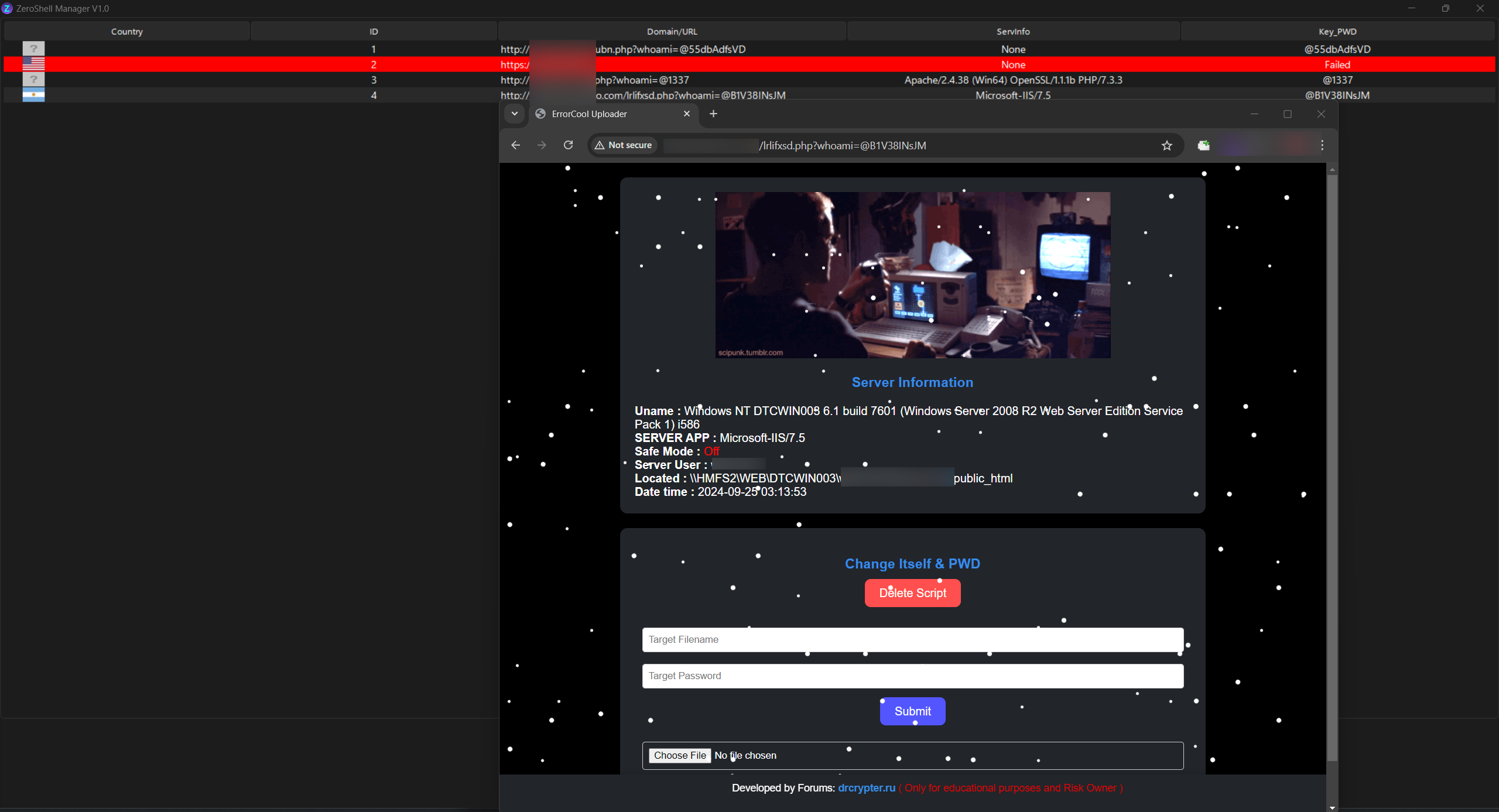
🌐 Screenshots:

Full Screen:

Full Screen


Small Screen:

Small Screen


Change Name Shell & PWD:

Change Name & PWD


Dark Mode:

Dark Mode


Light Mode:

Light Mode


🌟 Features:

ZeroShell Manager v1.0 comes packed with the following functionalities:

  1. 🔗 Add URL to Panel
    Add a single URL for easy access and management.
  2. 📋 Add Mass URLs (Multi-input)
    Batch-add multiple URLs at once for quicker management.
  3. ❌ Delete Web Shell from Panel
    Remove a selected shell from the panel (shell remains on the server).
  4. 🗑️ Clear All
    Clear all URLs from the panel, leaving the shells on the server intact.
  5. 🌐 Browse Shell
    Open a shell in your default browser.
  6. 🟢 Check Shell
    Verify if a shell is alive or dead in real-time.
  7. 🔄 Mass Shell Check
    Simultaneously check the status of multiple shells.
  8. 📤 File Upload
    Upload files to the server via a shell. After upload, the file's location will be shown.
  9. 🔒 Rename and Change Password
    Rename the shell and change its password automatically. The panel is updated with the new details.
  10. 💥 Destroy
    Permanently delete the shell from the server.


*** Hidden text: cannot be quoted. ***
es

🔒 Bu içeriği görmek için giriş yapın

 
[🚀 ZeroShell Manager v1.0]
A user-friendly GUI for managing web shells, built with Tkinter. Available in both light and dark modes, with a focus on simplicity and efficiency. Tested thoroughly to minimize bugs.
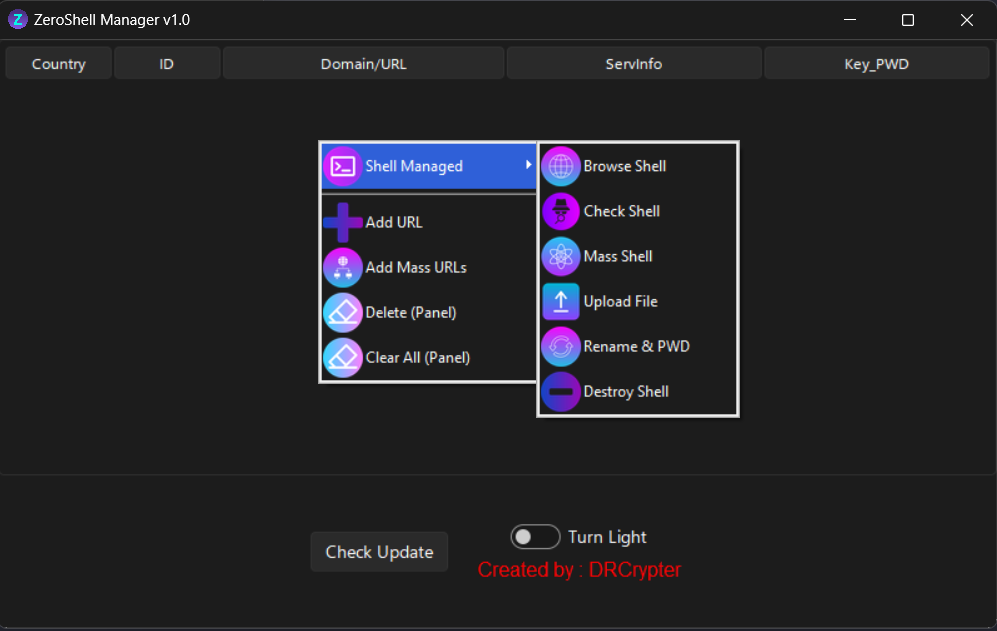
🌐 Screenshots:

Full Screen:

Full Screen


Small Screen:

Small Screen


Change Name Shell & PWD:

Change Name & PWD


Dark Mode:

Dark Mode


Light Mode:

Light Mode


🌟 Features:

ZeroShell Manager v1.0 comes packed with the following functionalities:

  1. 🔗 Add URL to Panel
    Add a single URL for easy access and management.
  2. 📋 Add Mass URLs (Multi-input)
    Batch-add multiple URLs at once for quicker management.
  3. ❌ Delete Web Shell from Panel
    Remove a selected shell from the panel (shell remains on the server).
  4. 🗑️ Clear All
    Clear all URLs from the panel, leaving the shells on the server intact.
  5. 🌐 Browse Shell
    Open a shell in your default browser.
  6. 🟢 Check Shell
    Verify if a shell is alive or dead in real-time.
  7. 🔄 Mass Shell Check
    Simultaneously check the status of multiple shells.
  8. 📤 File Upload
    Upload files to the server via a shell. After upload, the file's location will be shown.
  9. 🔒 Rename and Change Password
    Rename the shell and change its password automatically. The panel is updated with the new details.
  10. 💥 Destroy
    Permanently delete the shell from the server.


*** Hidden text: cannot be quoted. ***
esder45

🔒 Bu içeriği görmek için giriş yapın

 
[🚀 ZeroShell Manager v1.0]
A user-friendly GUI for managing web shells, built with Tkinter. Available in both light and dark modes, with a focus on simplicity and efficiency. Tested thoroughly to minimize bugs.

🌐 Screenshots:

Full Screen:

Full Screen


Small Screen:

Small Screen


Change Name Shell & PWD:

Change Name & PWD


Dark Mode:

Dark Mode


Light Mode:

Light Mode


🌟 Features:

ZeroShell Manager v1.0 comes packed with the following functionalities:

  1. 🔗 Add URL to Panel
    Add a single URL for easy access and management.
  2. 📋 Add Mass URLs (Multi-input)
    Batch-add multiple URLs at once for quicker management.
  3. ❌ Delete Web Shell from Panel
    Remove a selected shell from the panel (shell remains on the server).
  4. 🗑️ Clear All
    Clear all URLs from the panel, leaving the shells on the server intact.
  5. 🌐 Browse Shell
    Open a shell in your default browser.
  6. 🟢 Check Shell
    Verify if a shell is alive or dead in real-time.
  7. 🔄 Mass Shell Check
    Simultaneously check the status of multiple shells.
  8. 📤 File Upload
    Upload files to the server via a shell. After upload, the file's location will be shown.
  9. 🔒 Rename and Change Password
    Rename the shell and change its password automatically. The panel is updated with the new details.
  10. 💥 Destroy
    Permanently delete the shell from the server.


*** Hidden text: cannot be quoted. ***
x

🔒 Bu içeriği görmek için giriş yapın

 
[🚀 ZeroShell Manager v1.0]
A user-friendly GUI for managing web shells, built with Tkinter. Available in both light and dark modes, with a focus on simplicity and efficiency. Tested thoroughly to minimize bugs.

🌐 Screenshots:

Full Screen:

Full Screen


Small Screen:

Small Screen


Change Name Shell & PWD:

Change Name & PWD


Dark Mode:

Dark Mode


Light Mode:

Light Mode


🌟 Features:

ZeroShell Manager v1.0 comes packed with the following functionalities:

  1. 🔗 Add URL to Panel
    Add a single URL for easy access and management.
  2. 📋 Add Mass URLs (Multi-input)
    Batch-add multiple URLs at once for quicker management.
  3. ❌ Delete Web Shell from Panel
    Remove a selected shell from the panel (shell remains on the server).
  4. 🗑️ Clear All
    Clear all URLs from the panel, leaving the shells on the server intact.
  5. 🌐 Browse Shell
    Open a shell in your default browser.
  6. 🟢 Check Shell
    Verify if a shell is alive or dead in real-time.
  7. 🔄 Mass Shell Check
    Simultaneously check the status of multiple shells.
  8. 📤 File Upload
    Upload files to the server via a shell. After upload, the file's location will be shown.
  9. 🔒 Rename and Change Password
    Rename the shell and change its password automatically. The panel is updated with the new details.
  10. 💥 Destroy
    Permanently delete the shell from the server.


*** Hidden text: cannot be quoted. ***

🔒 Bu içeriği görmek için giriş yapın

 
Durum
Üzgünüz bu konu cevaplar için kapatılmıştır...
135,069Konular
3,297,854Mesajlar
326,255Kullanıcılar
8k48yj9u4oSon Üye
Üst Alt